Making Pluto 1.1.3 Work

Just more notes – I had a problem with the build putting the pluto-portal-driver-config.xml file in the wrong directory.

cd dev
csh new-apache.csh
cd ~/dev/pluto-1.1/
svn checkout https://svn.apache.org/repos/asf/portals/pluto/tags/pluto-1.1.3 pluto-1.1.3
cd pluto-1.1.3/
rm -r ~/.m2/repository/org/apache/pluto/
mvn install
mvn -DinstallDir="/Users/csev/dev/apache-tomcat-5.5.20/" pluto:install
cd webapps/pluto/WEB-INF
mv ../pluto-portal-driver-config.xml .
Communicating Sakai

Craig L asked – a great question – how to communicate Sakai on campus?
Here are some resources:
A presentation from the recent Amsterdam conference on just this topic (Look under attachments)
http://bugs.sakaiproject.org/confluence/display/CONF07/A+Methodological+Framework+for+Evaluating+and+Selecting+an+Open+Source+LMS
We need to get you the audio if possible – that would be helpful.
Here is a video about Sakai in general:
http://www-personal.umich.edu/~csev/media/2006/overview/overview.htm
From this page you can download a high-quality copy of the talk in
case you want to show it locally.
This is a PowerPoint where I cover a broad overview of Sakai:
http://www-personal.umich.edu/~csev/talks/2007/sakai_overview_v12_hawaii.zip
This is also a great “Sakai Introduction” PowerPoint from Anthony Whyte:
http://bugs.sakaiproject.org/confluence/download/attachments/45506/Amsterdam_20070609.ppt.zip?version=1
Also there is a two page overview handout at:
http://www-personal.umich.edu/~csev/papers/2006/2006_08_two_pager.pdf
I know you said you did not want to do a features bake-off – but if you change your mind, take a look at:
www.edutools.org
If you are interested in getting a quick overview of the community around Moode and Sakai – take a look at www.ohloh.net and explore both projects.
If you are interested in communicating the notion of community source in general – take a look at these:
http://www-personal.umich.edu/~csev/talks/2007/2007_05_01_educause_keynote.ppt
http://www-personal.umich.edu/~csev/papers/2007/educause_v01.doc
You are welcome to reuse/adapt ay of my or Anthony’s stuff to help make your case – it is all available under creative commons.

Using iListen – First Posting

This is my first use of iListen. Since I have a broken finger and am unable to tiny quickly I purchased iListen as an experiment. Before purchasing iListen I purchased a copy of IBM ViaVoice for Macintosh. When look down the package it said they’re only supported Mac OS 10.1 and MacOS 10.3. I just assumed that would also work on Mac OS 10.4. When I came home and did some research on the Internet I found that IBM ViaVoice indeed did not support Mac OS 10.4. So I got in the car and drove to the Apple store in Grand Rapids Michigan the purchase a copy of iListen because I have the 6000 page paper that it’s due by Tuesday.
So as a test I figured that I would enter a block entry using iListen. They say that the first thing to do it is to work on informal speech such as email and other things before you try to actually do serious writing about is what I’m doing. So far it seems as though it’s about 85 percent. It only gets about half of the sentences right. It does get least three quarters or more of the words right. But even with the mistakes it is far superior to typing with one hand. Because I can always use the mouse with one hand to go back incorrect incorrect words. I simply go back and highlight the incorrect word and then say again.
So far even though I have only trained at for about ten minutes it seems quite accurate the end it quite pleased with it. it important to watch as you speak because sometimes if you speak to watch him and try to go back and understand what you said when it has misunderstood your words you have no chance of figuring out what you actually said. it does work better if you speak deliberately the with a brief pause in between words.
It has this bad habit at least in TextEdit when you go back and highlight word and re-say it of putting that word in capital letters. Perhaps I’ll find a preference that solves this problem.
To compare this with the last time I used voice recognition it has improved significantly. The last time I used voice recognition was about three years ago and all I really remember is it made me so angry that I wish that the software understood curse words to mean delete the last word that I just said.

Urgent: Amsterdam Karaoke

Join the Sakai community for a little bit of Karaoke tonight (Wednesday). We will be congregating at Casablanca which is located just north of the Red Light District, within walking distance to the hotel. The concierge can tell you where it is on the map.
Casablanca
Zeedijk 26e
06-12200519
The club opens at 20:00 with good Jazz, and Karaoke beings at 23:00 and goes until 3:00.

Final Cut Express / LiveType Install – makes me so mad I could spit

I just upgraded to Final Cut Express 3.5 – they changed LiveType’s install process to *require* 9GB of textures, etc – just to work. Sheesh!
In earlier versions Livetype installed low resolution proxies for thes files and only installed hires versions for the files you needed. What were the developers thinking when they removed this very nice feature.
I cannot afford 10GB on my laptop that I use for video editing and all the rest of my work. The net result is that I will simply stop using LiveType. Drat.

A Nerdly Weekend – Apple TV

I usually am too cheap to try some technology before Lance. But perhaps I bought my Apple TV before him. The trigger was a new HD Television a few weeks ago – I am collecting gadgets that do HDMI.
I purchased an Apple TV this weekend and already it is full of stuff – we have music, movies, and video podcasts all loaded on the home computers around the house. Brent has found the comedy podcasts and is having a field day.
My finest moment was getting three episodes from this season’s Dr Who recoded into MP4 so I can play them on the Apple TV.
All in all this is a very very well designed device – it uses the iTunes libraries around the house – whichever ones are up – so you stage material at a workstation (currently 2 PCs and 1 Mac are in the net).
I also put all of the family photos into th Apple TV itself with some background music – so we can watch photos.
Next it will be all the videos from my camera.

Dropped Frames Final Cut Pro Mac OS/X Video Capture

Well, I think that I finally have to upgrade my Final Cut Express HD – I can no longer capture DV on mt Mac Book Pro.
I have cleaned and defragged the hard disk – no help – I have plenty of free space.
Frame loss happens in Final Cut and in Quicktime.
This worked for a long time – then stopped.
So I will upgrade FC and see – the next step is to wipe te OS and start over.

Continue reading

Hockey Outcome

If you watch my photo blog – you already know that my team won the Hockey championship and my Thesis advisor did not win the championship.
A picture of me with the trophy
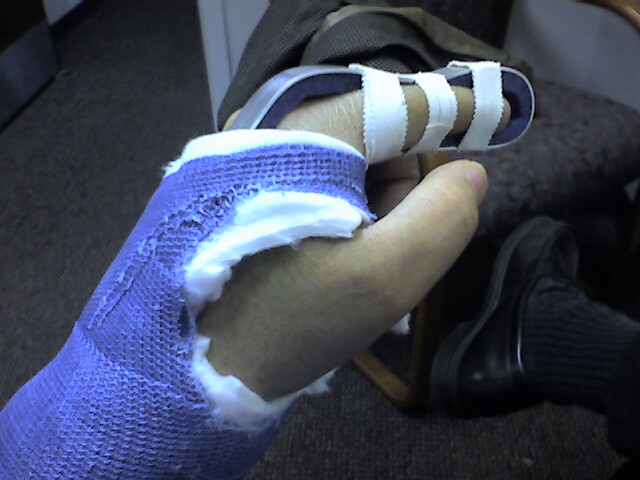
My finger was fine – it twinged a bit from time to time but it seldom really hurt. Back to the cast so it can heal for the next few months. The next key will be motorcycling – broken finger will put that on hold for 4-6 weeks – Damn!
We won the game 4-2. Rich got his team’s first goal which tied the score. Our team was very balanced in scoring with Ray, John, Tom, and Scott each scoring – I got an assist on the fourth goal. I had three outstanding chances to score a goal. Each time I would miss the bench would laugh and suggest that it was my hand that screwed up – but of course I screw up often enough with a good hand – so that is not a good excuse.
Both teams played great. Rich’s team was really strong on offense but our defense held steadfast amazingly.
I learned some things from this:
– Winning is a team effort – it is nice to have Scott Crilley on that team
– Defense is really important
Next year – I will go back and sign up with Rich – probably we will never win a championship together – but the rest of the time is so much more fun playing with Rich.
Ah well – it is time for summer and motorcycling – and back to hockey in September.